iOS 7

iOS 7 is a major upgrade of the mobile OS for iPhones and iPads.

As Apple always focus on providing a great user experience over support for older models, the introduction of iOS 7 leaves behind a few devices.

iOS can only be upgraded on the following devices

  • iPhone 4
  • iPhone 4S
  • iPhone 5
  • iPad 2
  • iPad 3rd Generation
  • iPad 4th Generation
  • iPad Mini
  • iPod Touch 5th Generation

For the early adopters of the iPad, sorry but it’s time to upgrade. I do have the first version of the iPad and it’s running the most up to date iOS 5.1.1.  It’s still in daily use although it feels a bit sluggish compared to my iPhone 5 running iOS 6.

iPhone 4 users can upgrade to the latest iOS 7 but I’m going to leave my old iPhone 4 on iOS 6. Some people have reported that the user interface is a bit slow.

The iOS 6 is still quite good with notification center over the iOS 5. However closing apps is a chore as you have to hold the icon down for a few seconds to close it. Other than that, I would choose to have the speed over the extra features of iOS 7 on the older iPhone 4.

Although some of the features of the iPhone 5C are nice like the much improved camera, like most people who are locked in a two year mobile contract, I can’t upgrade to the latest.

Updating to iOS 7 feels like getting a new phone and will tide me over till the iPhone 6 is out. If you have the iPhone 4S or 5, do make the upgrade.

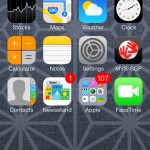
The new icons and animation is very beautiful and smooth. I found it fast and it does not feel sluggish on the iPhone 5.

Upgrade Process

1. Update your iTunes to the latest version

2. Backup and sync your iPhone

3. Ensure that purchases done on iPhone are transferred.

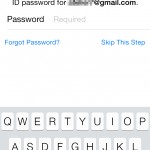
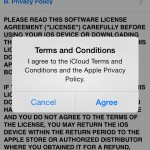
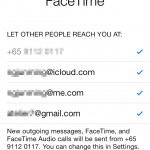
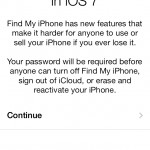
4. Download and update to iOS 7 from iTunes.

The iOS 7 is a hefty download at more than 700mb depending on the device. As such, I would recommend updating while connected to the computer instead of over the air.

AutoCad On Mac, iPhone, iPod Touch & iPad

A few months ago, AutoCad for Mac beta was released under a code name called Sledgehammer. This marks the return of AutoCad to the Macintosh platform since the last compatible version at AutoCad R12.

With the proliferation of the iPhone and iPad in the business environment, AutoCad WS was released for the iPhone, iPod Touch and iPad as a free application on 29th September 2010 before the launch of AutoCad for Mac. While Autocad WS is free, AutoCad for Mac will be priced the same as AutoCad 2011 for Windows PC’s.

iPhone 4

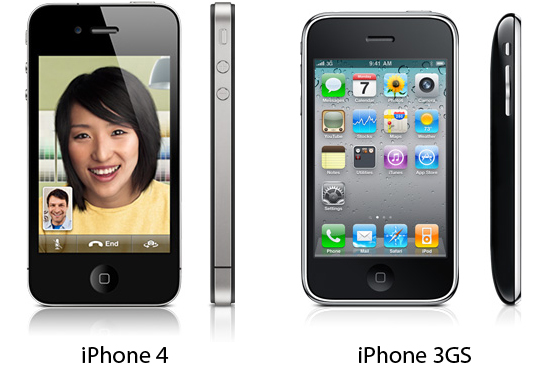
The iPhone 4 design and specifications have changed significantly from the iPhone 3G. It’s form is now rectilinear and looks more masculine compared to the iPhone 3G smooth pebble look.

It now includes a front facing 3 megapixel camera and 5 megapixel with auto focus and an LED flash at the back. Included in an iOS 4 software update is the HDR function.

What it does is take two quick successive photos at two different exposures and combines it together. It results is nicer photos where there is a large contrast, the areas in shadow would otherwise be lost.

In fact, I hardly used my Olympus Pen EP 1 during a short trip. The iPhone 4 was smaller and easier to whip out and capture the shot.

Another area I found to have improved was the GPS chip. It could possibly be due to a faster processor and more memory. Using the Tom Tom navigation app, the iPhone 4 was the fastest to lock on the location. It also tracked the position more accurately and kept up even when making lots of turns.

For users on the original iPhone or iPhone 3G, I would recommend upgrading to the iPhone 4. However, users of the iPhone 3GS might want to hold out for the next version especially for those still locked in a contract with their mobile operator.

The iPhone 3GS is compatible with the iOS 4 upgrade and supports useful functions such as multi tasking and folders. Users like myself who upgraded the iPhone 3G to iOS 4 will be frustrated with a very slow interface and possible faulty wifi. So leave that iPhone 3G alone on iOS 3 and get the iPhone 4 if you really want to extra features in iOS 4.

iOS 4 On iPhone 3G Kills Wifi

One month after upgrading to iOS 4 on an iPhone 3G, the wifi stopped working. It would keep searching endlessly for available networks but never pick up anything.

This happened just before I bought the iPhone 4. It might seem like Apple was trying to push people to upgrade. After all, the iOS 4 upgrade on the iPhone 3G caused it to run unbearably slow.
Next, the wifi was no longer working rendering it’s use limited as an iPod Touch equivalent.

No amount of restoring nor upgrading through the various iOS 4 updates solved the problem. In fact, the wifi problem surfaced just after the extended warranty AppleCare was over. The iPhone 3G worked fine over the two years and never required any repairs till iOS 4.

Here I was with an iPhone 3G that I bought on the official launch day and even spent another $99 on the AppleCare and now it’s a paperweight just after the warranty is over.

So for all you iPhone 3G users out there still on iOS 3, do not upgrade to iOS 4. Not only will it run unbearably slow but it will also cause damage to the wifi hardware.

How to fix slow iOS 4 on iPhone 3G

So you’re a fan of the iPhone and every software update has brought about new functions and made the iPhone better like cut and paste or spotlight search with iOS 3.

And as there were not many problems with the earlier iOS software updates, your iPhone was quickly upgraded to iOS 4 the moment it was launched.

Now you’re slapping yourself thinking what have I done? The iPhone 3G is now crawling at a snails pace.

The temporary fix is to reset the phone while the other option is to downgrade from iOS 4 back to iOS 3 as discovered and detailed by other iPhone 3G users around the world.

To reset the phone, press the home button together with the sleep button and hold it there till the iPhone shuts off and begins to restart before letting go the buttons. Don’t worry about the information on the iPhone as data is not lost with a reset.

Rebooting probably clears the memory and possibly any cache. In my experience, it did help at times when the phone was extremely sluggish. However, it does not bring back the same level of response from ios3.

The next option is to downgrade the iPhone 3G from ios4 to ios3.1.3 if you prefer speed over the added functions.

Instructions can be found here. For me, I’m going to get the new iPhone 4 although there seems to be a big issue over the reception at the moment and restore the iPhone 3G when I find some spare time.

Review of iOS4 on iPhone 3G

Before I upgraded my iPhone 3G to the latest iOS 4, there were many pages of apps which made it frustrating to quickly find the app I wanted.

This problem was partially solved with iOS 3 as it brought spotlight search function from the mac OS X to iPhones. So instead of manually flicking through pages of apps, a few taps of the virtual keypad and I could launch the app from the search result.

However, this did not solve the problem of sorting and arranging the apps easily for people who like to keep things systematic.

As with all new products and software, never upgrade immediately for there is a high probability of issues with a 1st generation product. In this instance, the promise of folders, unified mailbox and dictionary proved far too tempting to wait it out.

After upgrading to iOS 4, the iPhone 3G became as slow it brought back memories of using a HP Jornada running Microsoft Windows CE from the beginning of the millennium. How was it possible for Apple to release the iOS 4 for the iPhone 3G when it created such a terrible user experience?

Perhaps it was meant to be a compelling reason to encourage users to upgrade to the iPhone 4. Bottom line is don’t upgrade if you have an iPhone 3G.

Apple iPhone 4

Today at the World Wide Developer Conference (WWDC), Steve Jobs announced the iPhone 4. It is similar to the leaked photos of the prototype that surfaced a few weeks earlier.

Continuing in the same material and colour scheme of the earlier iPhone 3GS and current iMacs, it is available is glossy black or white with an aluminium frame.

Although there were additional features such as video calling via wifi dubbed Face Time, the capacity of the iPhone 4 remains the same as the current offering of 16gb and 32gb for the iPhone 3GS.

Perhaps Apple did not want to make the iPad appear to have so little storage as it currently tops out with a 64gb model. Also, this allows Apple to introduce an iPhone 4G or 4GS a year later with higher memory like the iPhone 3G and 3GS.

With my iPhone 3G approaching 2 years of age, I will definitely be upgrading to the iPhone 4. For current users of iPhone 3GS, it may not be such a must have upgrade as the iPhone 4 OS dubbed iOS 4 will be available as a free upgrade on 21st June 2010. In fact, this upgrade is also free for users of the iPod Touch whom had to pay for earlier OS upgrades.

iPhone TomTom GPS App (Singapore & Malaysia)

The prices for a dedicated GPS have dropped over time and it is now possible to buy it for as low as $300 dollars.

I’ve always wanted to get one but felt that it would not be fully utilised. After all, in little sunny Singapore it’s almost impossible to get lost. Just keep heading straight and you’ll come across a sign directing to one of the expressways.

Over the long Christmas and New Year break, we decided to cross the borders for a short get away to Malacca in Malaysia. So instead of buying a map, I finally pulled the trigger to get a GPS. Since I already have an iPhone 3G with a built in GPS, the cheapest route was to purchase a GPS navigation app.

There are a few GPS apps available on the iTunes app store by TomTom, Sygic and Ndrive. The reviews I read on other blogs about these apps compared showed that Sygic included maps of Singapore, Malaysia and even Thailand while TomTom only included maps of Singapore and Malaysia.

So from a cost to value ratio, the Sygic app seems the better choice. However, since I don’t think I will be driving up to Thailand, I decided to get the TomTom app. The current version is 1.2 and people who bought the earlier 1.0 version have been getting free updates. I’m not sure if map updates will be free as the software update seems to be for resolving bugs and improving certain features.

After buying the TomTom GPS app, I found that it included maps of Brunei. In fact after my holiday and a bit more post purchase research, the Sygic app actually includes maps of Indonesia and Brunei too. That’s a total of 5 countries.

Before setting off for Malacca, the iphone was placed in a cradle on the dashboard of the car and it quickly located the GPS signal and locked on to my current location. I then added my home address into the app for quick future navigation home.

Next, the navigation icon was selected and the Malaysia map was selected. I typed in Malacca and it prompted for the street. ‘Tun’ was entered and the correct street ‘ Jalan Tun Tan Cheng Lok’ together with a few other street names was listed. I selected the correct street name and it quickly analysed and found the correct route.

It did prompt that toll road would have to be used as the crossing over the boarder requires a fee. The ‘use toll roads’ was selected and off we go.

Navigation was clear as it indicated the number of meters to the next turn. The voice prompt also guides the drive to switch lanes early in preparation of the next exit.

However, we quickly hit a small problem. Shortly after crossing the causeway, the GPS indicated the correct way to hit the North South highway was to go straight. At that junction, the road ahead had been blocked off with temporary barricades with a detour sign directing traffic to the left.

We followed the road signs but the GPS kept prompting to make a u-turn when possible. After following the road signs for another few minutes, the GPS finally recalculated the route and guided us to the North South highway correctly. Actually, at this point of time, no GPS was really necessary as the road signs were quite clear.

During the rest of the trip, the GPS worked properly and we did not encounter any further differences between the GPS map and the actual roads. The battery on the iPhone 3G ran low after about 3 hours. However, it has to be noted that the iPhone 3G was already more than a year old. A car kit with a charger is a must for longer drives like this.

For places like Malaysia with different states, it is logical for finding the address or street where you are heading starting with country, state and then the street name. However, for places like Singapore, it is difficult for to enter the name of the town. After all, Singapore is a small country and most people refer directly to the street name and not the town where the street is located. It would be great if we could easily search for the street name directly instead of entering the name of the town first.

It’s my first time using a GPS navigation product and it’s been kind of interesting. If did help to remind me when I exceeded the speed limit and avoid getting a ticket on the way when many other cars were pulled over for speeding at a hidden speed camera. The screen of the iPhone is smaller and is a bit difficult to browse the map. Moreover, the entering of the destination address was a little trickier than expected.

The price at $59 is not too expensive but could probably buy quite a few maps or street directories. Perhaps if I had more time to do a little research before my purchase, I would have bought the Sygic GPS app. Let’s hope they update the destination entry system soon.

Moving to a new home

At present, all the Macs are scattered everyone. A few of them are displayed on a shelf while the rest are tucked in the store room and around the house.

The metal framing of the shelf was bought from ikea and the timber shelves salvaged from a shop that closed down.

As we are moving to a new place, it’s time to create a nicer display and work area. New white laminated timber shelves have been ordered and there’s now a small room approximately 1.5m x 2.8m to display the collection. 

(Photo Coming Soon…)

Behind the frosted glass is the kitchen. Initially we wanted to have it as clear glass so the Macs were viewed from the kitchen. But knowing that it might get pretty messy at times with Macs taken apart for repairs we decided to keep the glass frosted so that all the mess is contained within the room.

The frost is just a sticker and we intend to remove the frosted sticker over the little window on the right to place an LCD monitor for viewing recipes and catching up on the news or weather from the kitchen. Now if only I could find a cheap Apple Cinema Display.

(Photo Coming Soon…)

While the renovation works are going on, the Macs have been stored in the guest room. The wardrobe is filled with Macs. There’s the two Twentieth Anniversary Macintosh.